

Test Insta360 GO Ultra – The tiny 4K camera that goes everywhere!

Here's a test of theInsta360 GO Ultra, a tiny action camera that promises to revolutionize the way we film our outings. As a passionate but "lambda" user, I wanted to see if it lived up to its promise of simplicity for trail riding, cycling, hiking and even cross-country skiing. Here's my opinion after several months of field testing.

The Insta360 GO Ultra video test
My summary
What I liked
- Outstanding image quality
- Stunning stabilization for sports use
- Variety of fastening options
- Practical magnetic necklace
- A lightweight camera that’s easy to forget
- Easy to use, even if you’re not a video pro
What I liked less
- A multitude of brackets and accessories that can be intimidating at first
- Can’t always remember the last mode used
How do I use the Insta360 Go Ultra?
The Insta360 GO Ultra is a camera designed for those who want to film their outings without the hassle, while enjoying “pro” image quality.
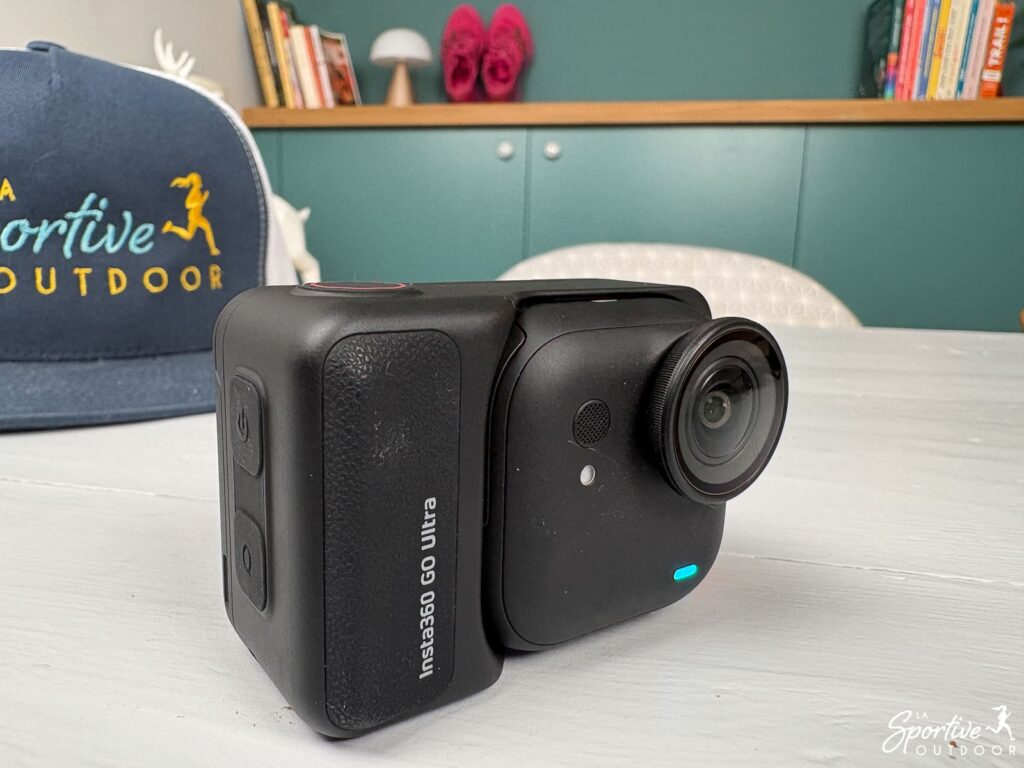
She particularly excels at :
- Trail and running: its weight is light enough to be forgotten on a headband, offering impressive stability.
- Cycling and gravel: It allows for nice, natural POV angles without cumbersome harnesses.
- Hiking and long-distance travel: thanks to its extendable storage and long autonomy, it becomes a true adventure companion.
Technical specifications
- Sensor: 1/1.28 inch (221% larger than the GO 3S).
- Resolution: Up to 4K at 60 frames per second.
- Storage: MicroSD card slot up to 2TB.
- Battery life: 70 min (camera only) / 200 min (with Action Pod) in 1080p, 60 min (camera only) / 170 min (with Action Pod) in 4K
- Weight: 53g for camera alone, 162g for camera and Action Pod
- Water resistance: up to 10 meters for the camera.
- Connectivity: USB-C charging.
The Insta360 brand
A Chinese brand, Insta360 specializes in action cameras and 360-degree video, and has made its mark on the market with miniaturized models and highly effective stabilization technologies.
Our full review of the Insta360 GO Ultra
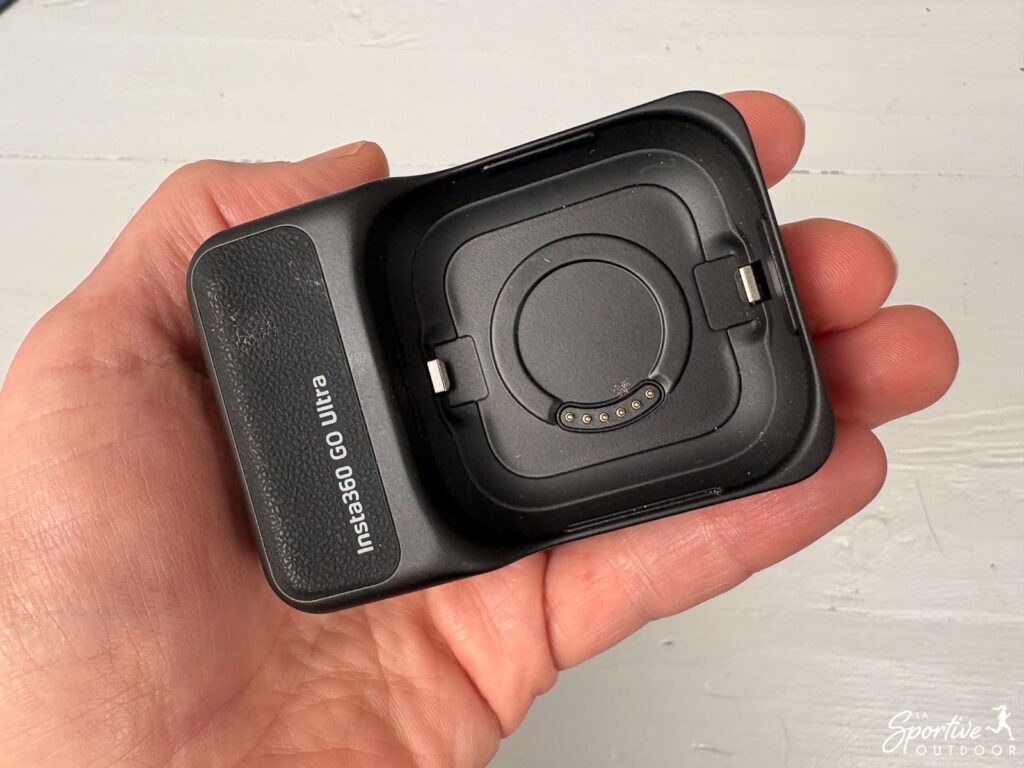
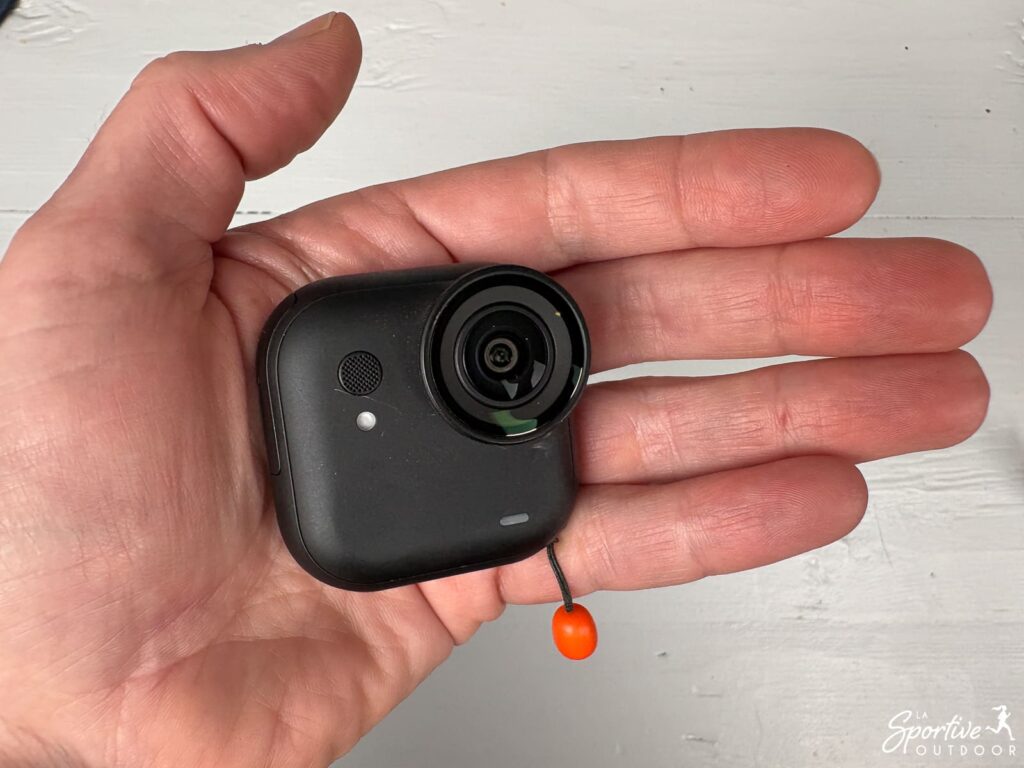
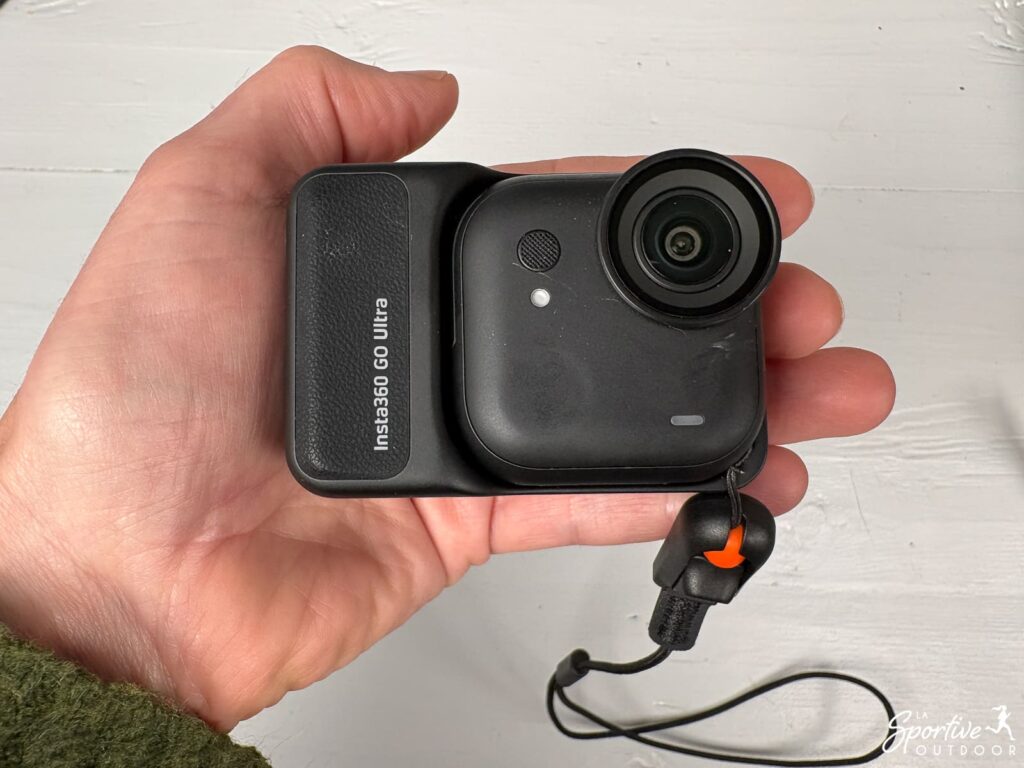
A unique concept: two pieces for greater freedom
TheInsta360 GO Ultra is based on an ingenious two-part design:
Comment soutenir La Sportive Outdoor?
L'une des façons de nous soutenir est de faire vos achats via nos sites partenaires.
L'idée n'est évidemment pas de vous pousser à la consommation: n'achetez que ce dont vous avez besoin mais, lorsque vous le faites, passer par nos liens nous aide car nous touchons ainsi une petite commission sans aucun coût supplémentaire pour vous.
Vous pouvez par exemple en ajouter certains en favoris pour vos prochains achats. Pensez à accepter les cookies de nos partenaires dès l’arrivée sur leur site.
- i-Run: jusqu'à -50% pour les Running Weeks
- Ekosport: -20% extra sur les nouveautés vélo de route et VTT
- Intersport: des offres sur la randonnée (notamment)
- Muule: 15% de promo avec le code VIP15
- Compressport: 10% de réduction avec le code WELCOME-COMPRESSPORT-26
- Decathlon: pas mal de bons plans
- Lyophilisé&Co: lyophilisés, nutrition sportive et matos de bivouac
Pour plus de façons de nous soutenir, c'est ici.
- the camera itself (only 53 grams), and
- the Action Pod.
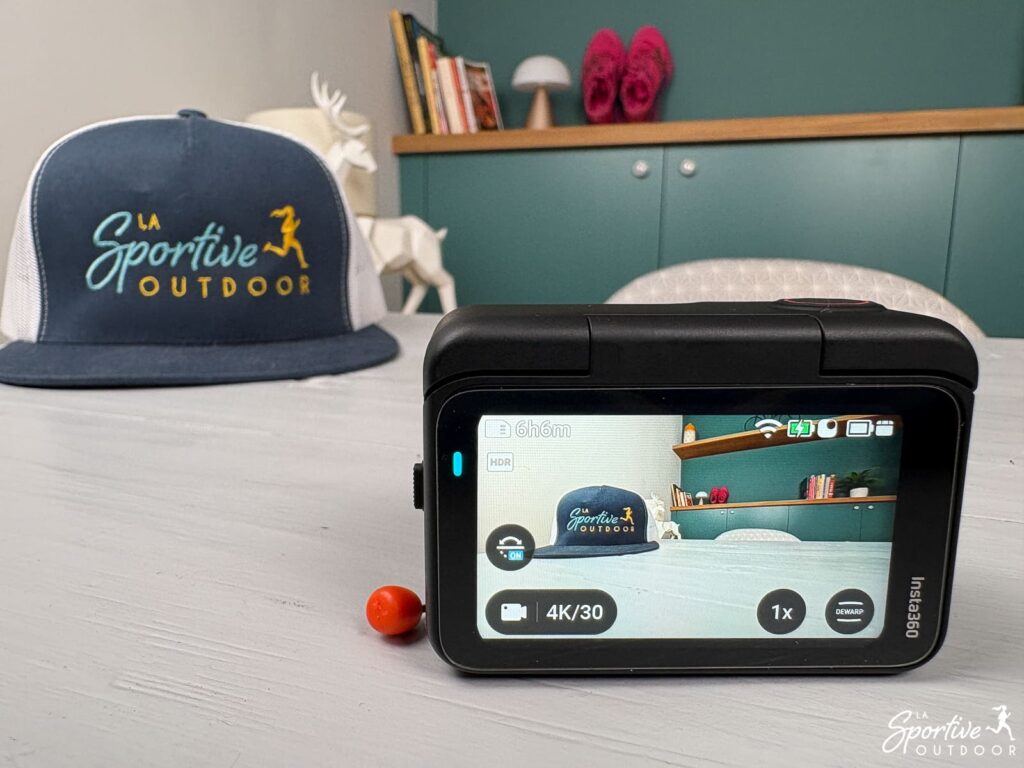
TheAction Pod is much more than just a holster. It provides immediate screen feedback to check that your angle of view is correct, which is extremely useful in the field, especially as the screen can be tilted .
Once you’ve validated the shot, you can put the Pod back in your pocket or bag and keep only the small camera. With experience, if you always film the same type of sport and don’t need too much autonomy, you won’t even need to systematically carry the Pod, as the camera alone is sufficient to capture the action.
It also serves as a nomadic recharging station, a bit like an external battery, allowing you to quickly recharge the camera between two sessions.
Modes and settings: 4K “Ultra” for every situation
The big news with the Insta360 Go Ultra is the arrival of 4K at 60 frames per second, offering impressive fluidity and image sharpness for a camera of this size. I must admit, I was really blown away by the quality!
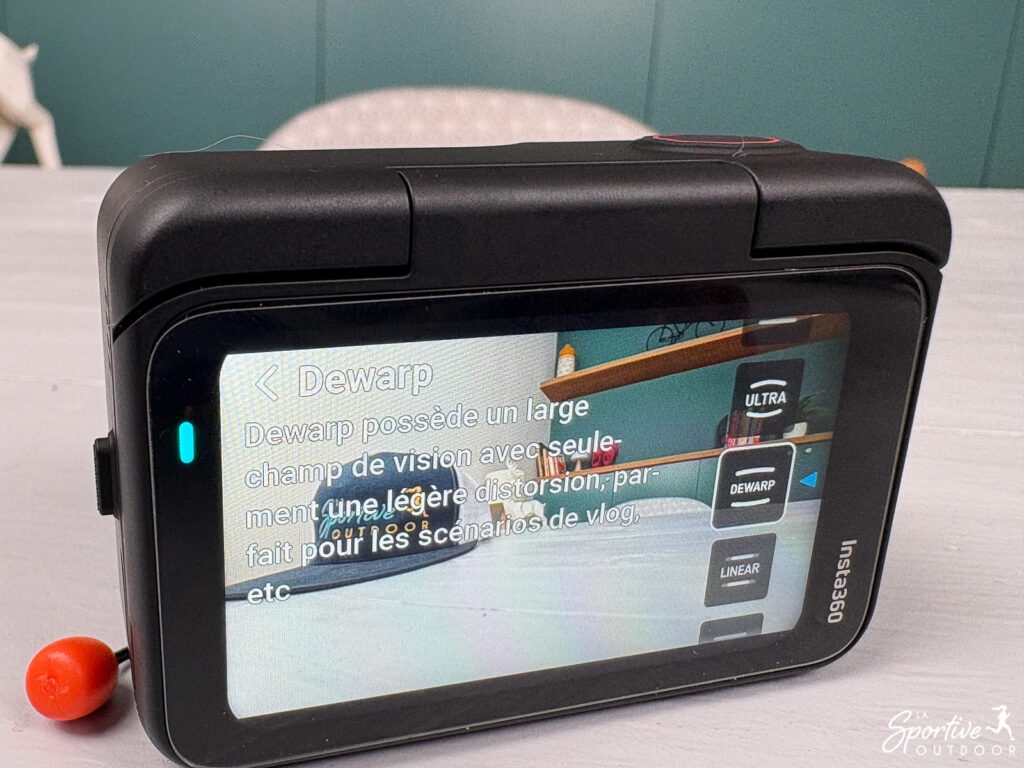
This camera offers a multitude of modes (photo, burst, interval, video, slow-motion, timelapse, etc.). Different angles (from “normal” to ultra-wide) are also available. You make your choices on the touch screen, which is responsive and pleasant.
For those who aren’t image professionals (like me!), the presets (vlogs, cycling, running) are a precious help. With a single click, settings are automatically adjusted. Ideal for avoiding getting lost in the technical options. Special mention should be made of the PureVideo mode, which, thanks to AI, enables surprisingly high quality filming in low-light conditions (perfect for sunrise outings).
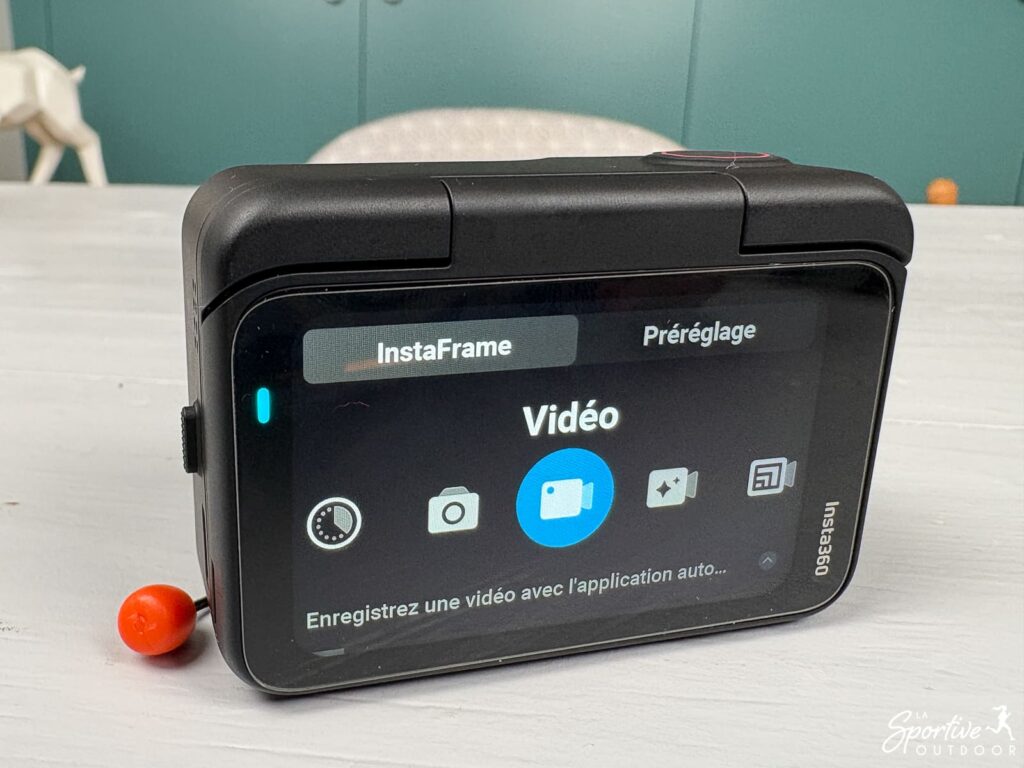
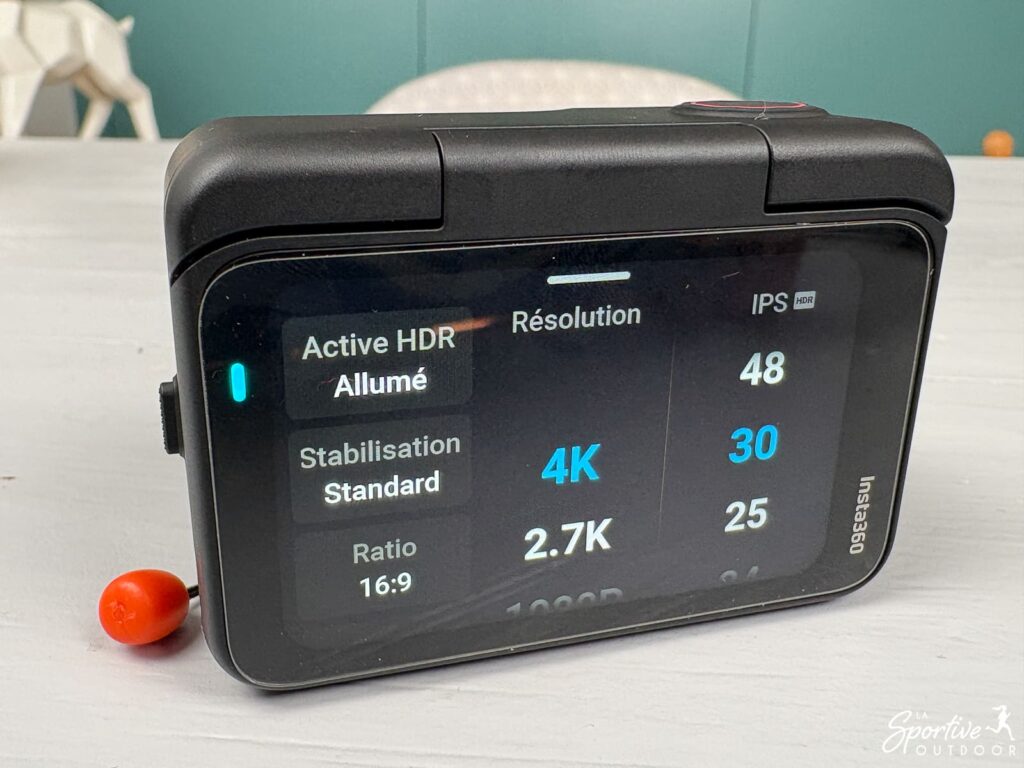
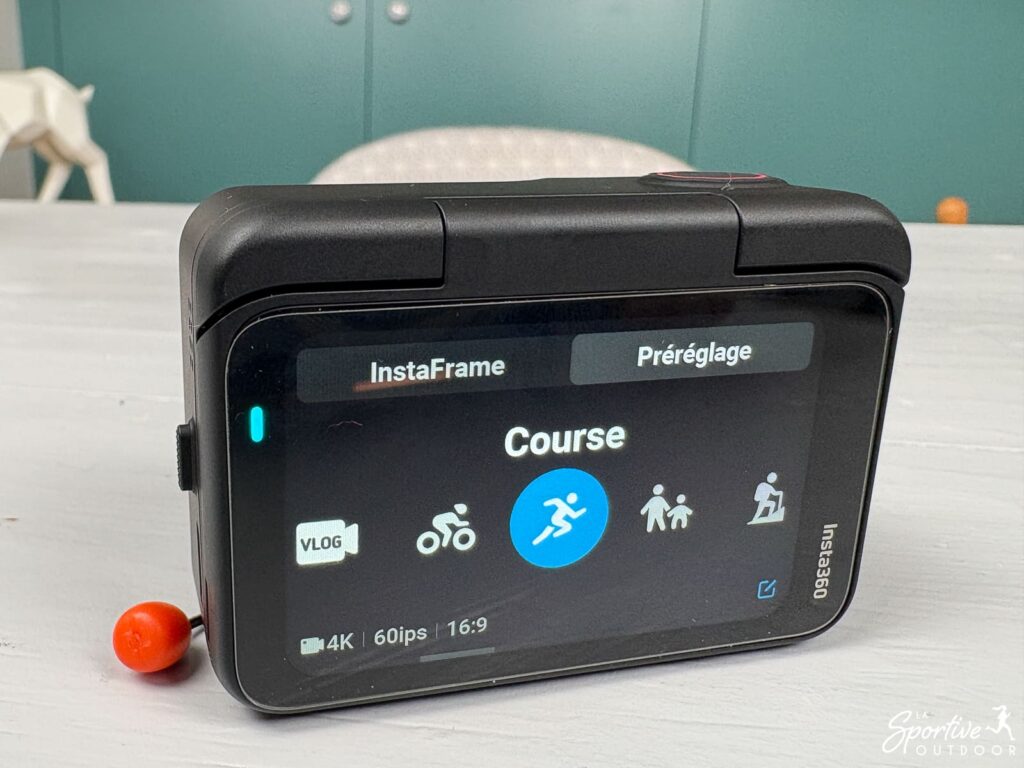
Also worth noting for novices: the mobile application features an AI-based automatic editing function. It analyzes your clips, selects the best moments and edits them to music all by itself. Perfect for those who want to share a memory on Instagram or Strava without spending hours on it. Personally, I love it! You can see an example with the Insta post below, filmed at the Insta360 Go Ultra and automatically edited with AI.
A word of caution: if there’s one really annoying thing to note, it’s that the camera doesn’t always seem to remember the last mode selected. Sometimes, when you turn it back on, it returns to the last setting, sometimes not. This means that you always have to double-check your screen before starting recording, to make sure you don’t miss a shot, which is a real pain in the ass in everyday use. I don’t know if it’s only on mine or not!
Bindings and accessories for sports
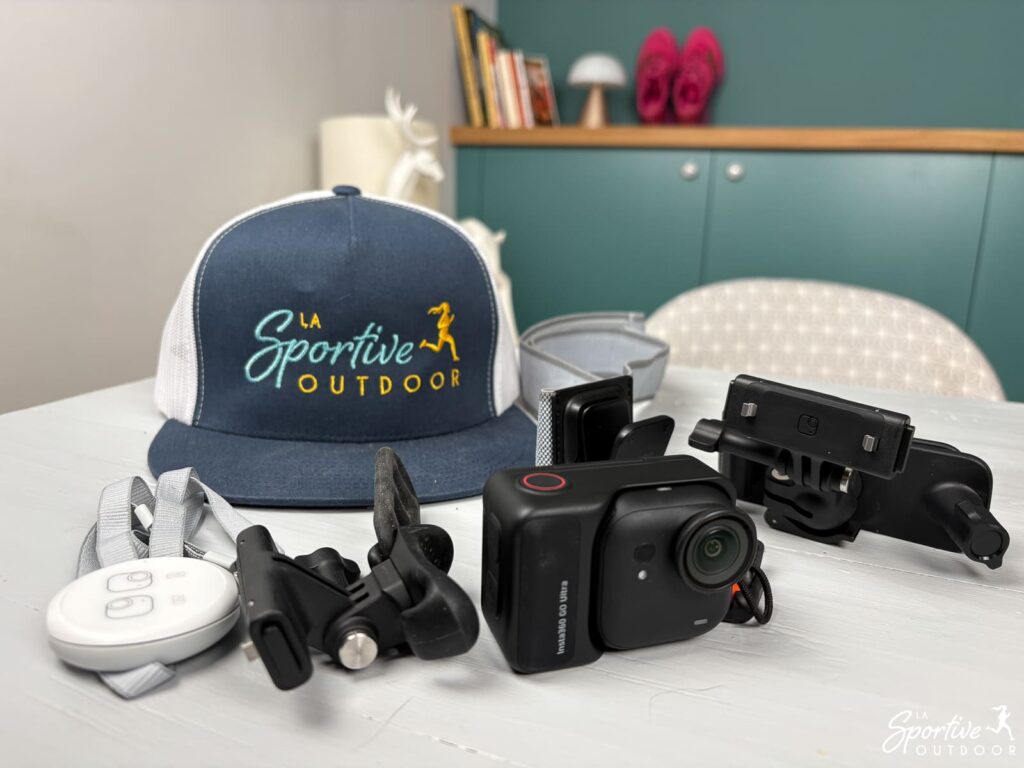
This is where the Insta360 GO Ultra makes the difference. The multitude of accessories and brackets can be a little frightening when you first buy it (and when you unpack it, if you’ve bought a pack!), but a few items are all you need to indulge yourself, depending on what you want to shoot:
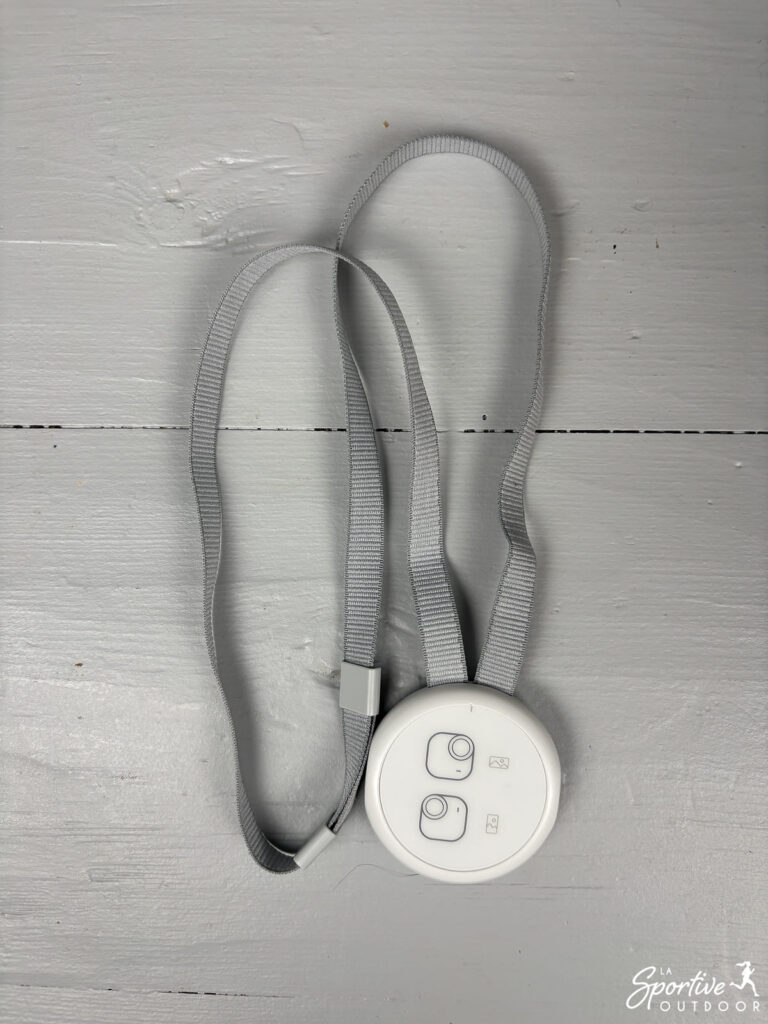
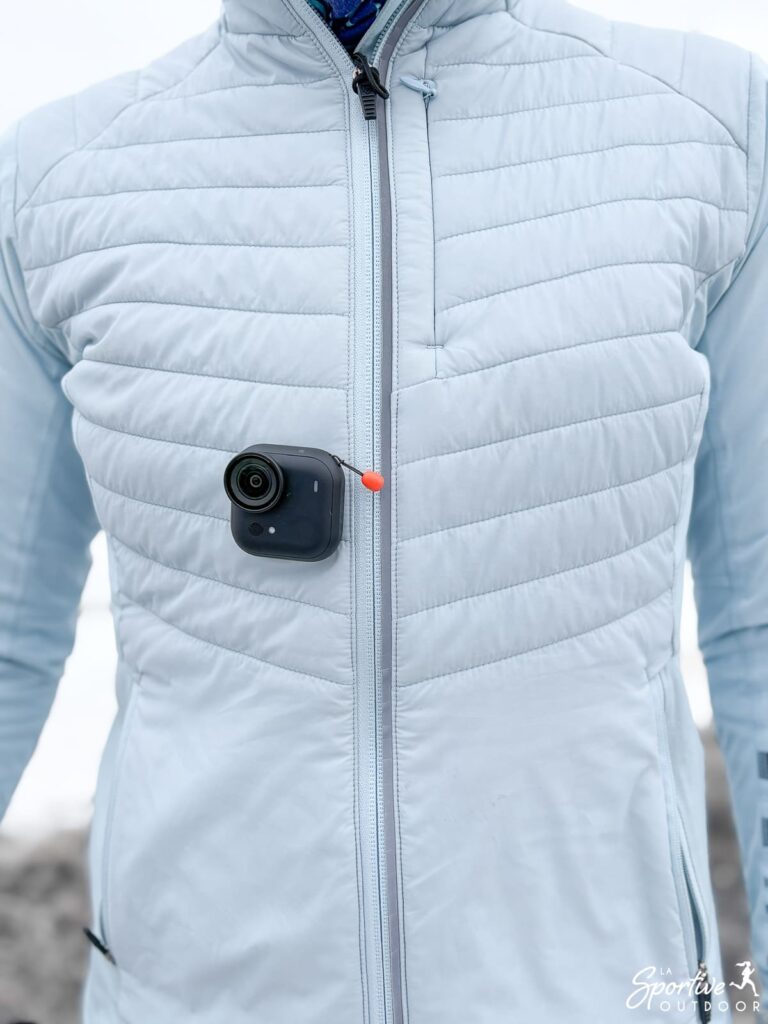
- The magnetic necklace: This is without doubt the most practical accessory, and clearly my favorite. You slip it on under your clothes, and all you have to do is magnetize the camera over it. The magnetic plate pivots at the back, allowing precise adjustment of the inclination. It’s the ideal tool for obtaining a natural POV viewpoint without the need for a bulky harness. I’ve used it to film a variety of situations, as well as cycling and cross-country skiing: the results are top-notch!
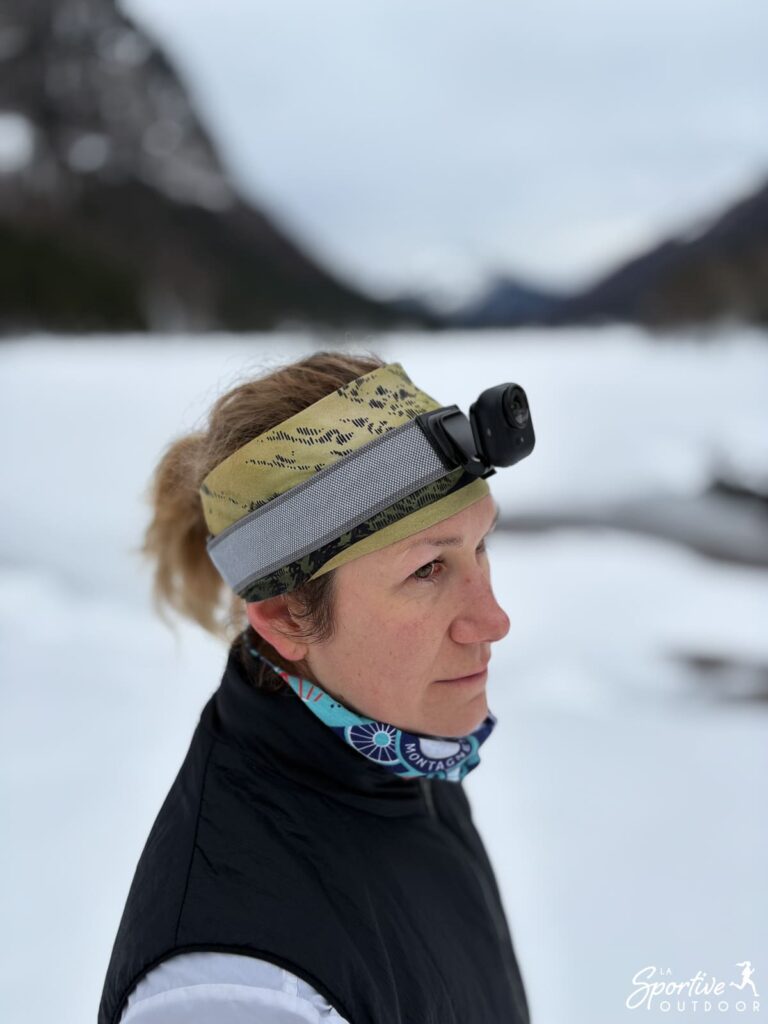
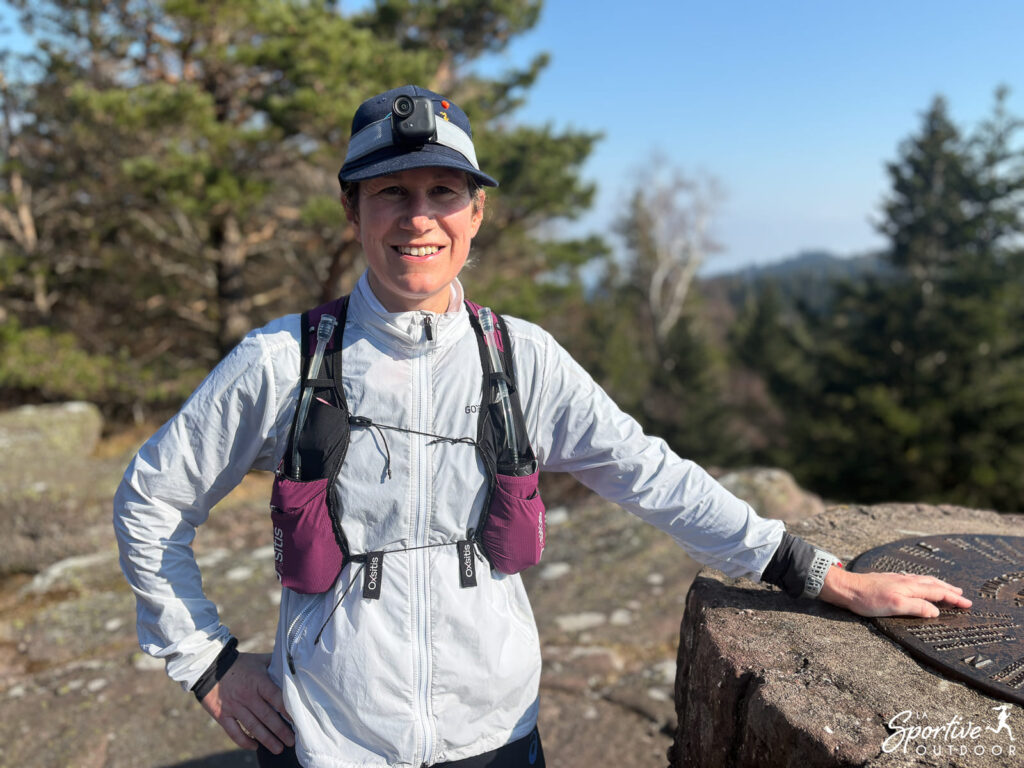
- The headband: For trail running or running, the Easy clip magnetic headband is the essential accessory. The magnetic collar doesn’t stabilize enough for running, whereas the headband offers a bluffingly stable image. I was afraid I’d be bothered by its weight, but after the first few minutes you forget you’ve got it on, whether you’re wearing a headband or a cap.

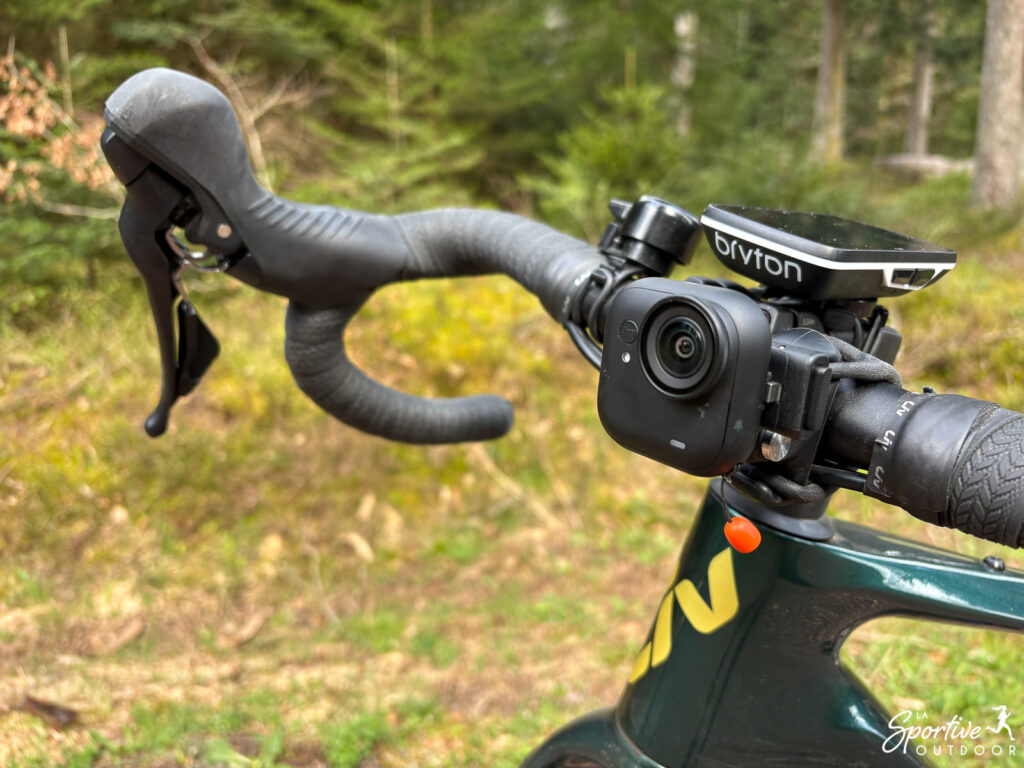
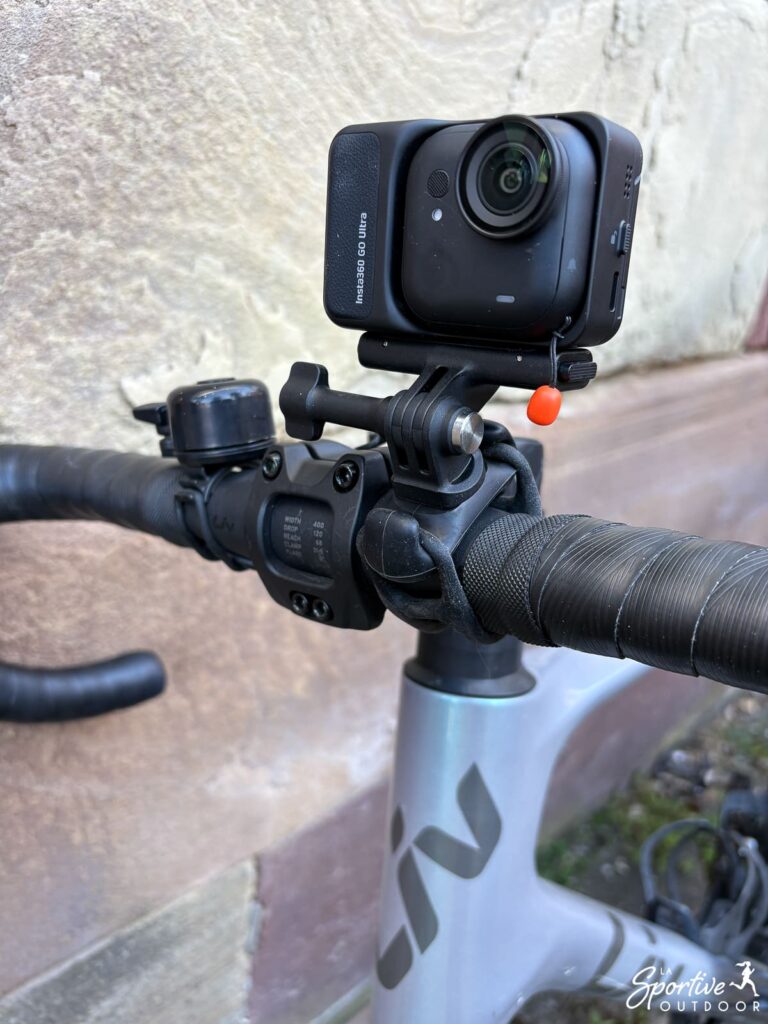
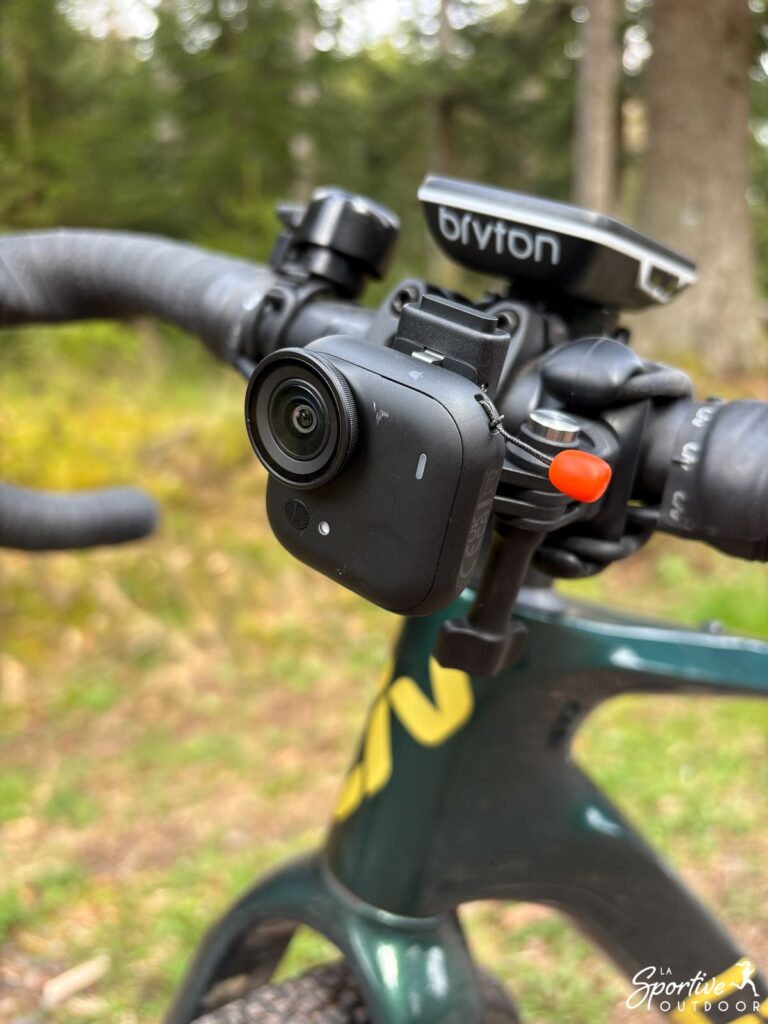
- The flexible strap holder: For road or gravel bikes, the quick-release holder installed on the flexible strap holder fits perfectly on the handlebars… Or on other parts of your bike (chainstay, seatpost…)! The only limit is your creativity! 😉 For more serious mountain biking with heavy shocks, I’d recommend the specific action support, which is designed for this purpose (I haven’t tested it, as I don’t do this type of riding).
- The rucksack clip: This clip-on bracket is perfect for filming your hikes, while keeping your hands free on your poles. It’s included in the running pack but I wouldn’t recommend it for running, as it lacks stability when attached to a trail bag.
- Remote control ring: A clever little accessory that lets you turn on the camera or start recording without having to let go of your handlebars or poles.
Note that the magnetic side of the camera also allows it to be attached to any metal surface, and helps to position it directly in the right direction (portrait or landscape). How convenient!
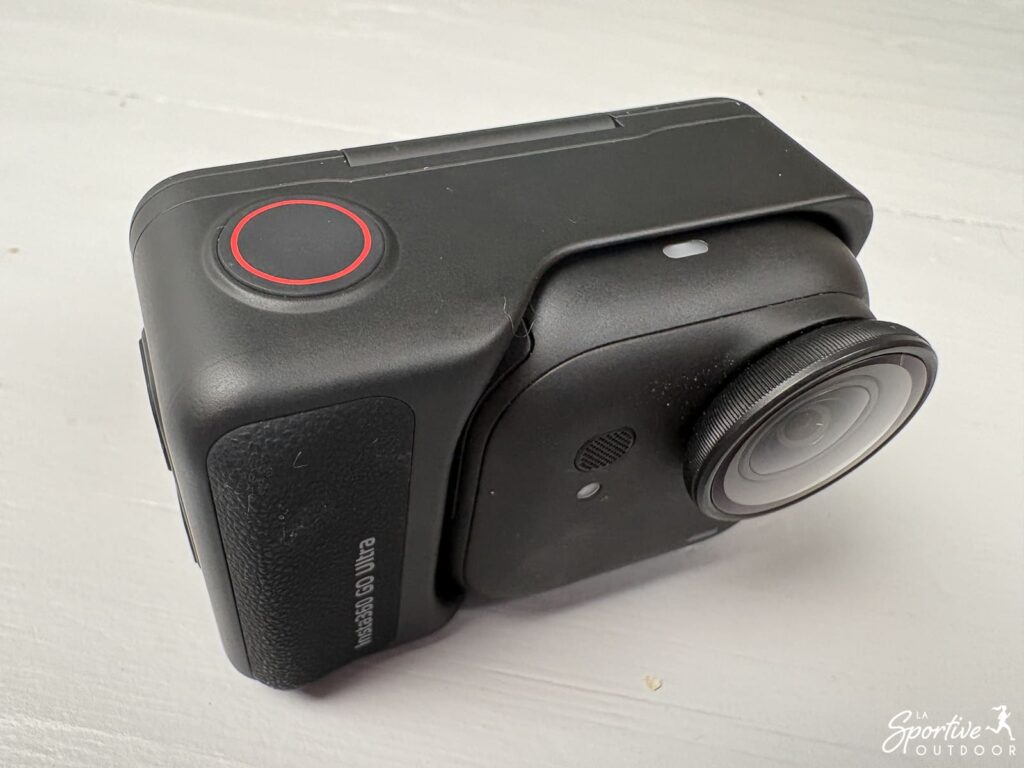
Finally, unlike other small cameras, the GO Ultra has a removable and replaceable lens protector. If you scratch the glass, you only change the small protective filter, not the whole camera. This is a very reassuring feature for outdoor sports, where the risk of scratching the lens is real (branches when trail riding, gravel when cycling).
Bluffing “FlowState” stabilization
This is often the big question for us sportswomen: how can such a tiny camera cope with the jolts of the trail or the vibrations of a bike hanger? The Insta360 GO Ultra uses FlowState stabilization technology, and the result is, as I noted during my running and cycling tests, simply amazing. The image remains perfectly fluid, erasing the shocks of each stride and the irregularities of the terrain.
But the real “little miracle” is the 360° Horizon lock. It doesn’t matter if the camera tilts during a sharp bike turn, or if it tilts slightly on your headband during exercise, the horizon stays perfectly straight on your video. And we avoid the nausea-inducing video (admit it, we’ve all been there!). 😛
Integration of performance data (stats overlay)
For sportswomen who like numbers, the Insta360 GO Ultra also lets you integrate GPS statistics (speed, altitude, track, etc.) directly into the video. This data can be retrieved via your Apple or Garmin watch , or even via Strava. Personally, I have to say it’s not really my thing, so I haven’t tried it, but you’ve got the info.
Autonomy and storage: ready for adventure
In terms of battery life, the camera alone can shoot around 70 minutes of continuous footage in 1080p (or 60 min in 4K). Combined with the Action Pod, it can film for up to 200 minutes in 1080p (or 170 min in 4K), which is very comfortable for long outings. Recharging is ultra-fast: it recovers 80% of its battery in just 12 minutes… ideal during a coffee break or refuelling.
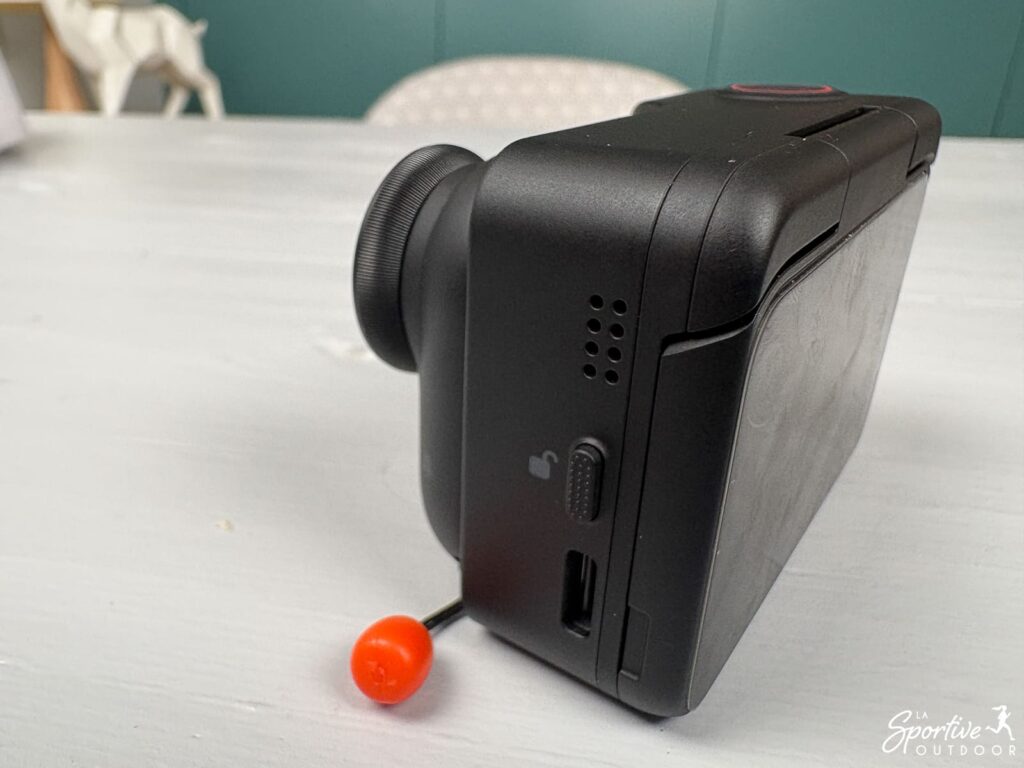
Finally, the major revolution of this Ultra model is the integration of a MicroSD card slot (up to 2TB). No more fear of overloading your internal memory while traveling: you can now shoot without counting the minutes, and change cards as needed. Well, I confess I haven’t reached that stage yet!
Apple “Find My” compatibility
This is an interesting point for a device of this size, which is held in place by magnetism… and which you’re always afraid of losing, even if I haven’t, and it holds particularly well. Should the camera fall off a bike or become unhooked, you can use your iPhone’s “Locate ” application to find its precise position. Personally, I find it reassuring.
Conclusion
TheInsta360 GO Ultra succeeds in making high-quality video accessible to all sportswomen. If you’re looking for a simple, lightweight tool that can follow you everywhere, this is the ideal choice. Its versatility, between trail, bike and hike, makes it a really nice adventure companion. As far as I’m concerned, she’s adopted!
Le produit nous a été envoyé par la marque. Cela ne change rien à notre opinion, les marques avec lesquelles nous travaillons comprenant que l’idée du test est de donner notre avis, avec ses points positifs et négatifs. Cet article contient des liens d’affiliation.